
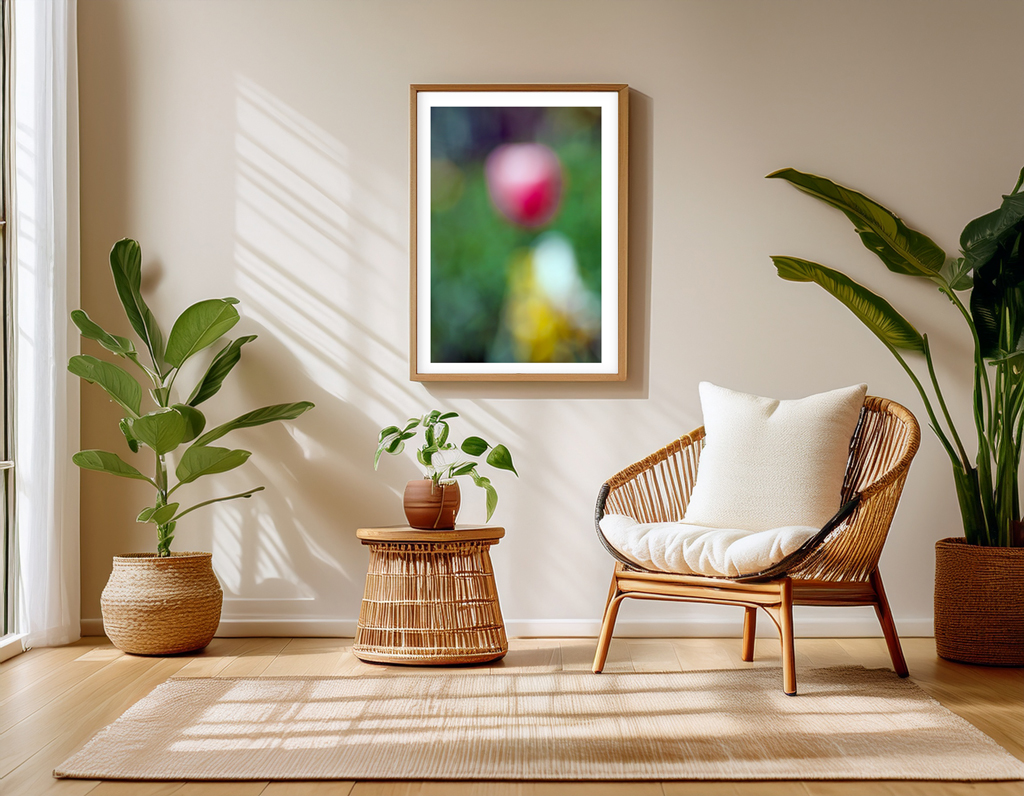
Unleashing the Power of Adobe Boards Firefly and Remix
In the ever-evolving landscape of creative tools, Adobe’s new Boards and Remix features offer a powerful canvas for designers, marketers, and creatives. These tools aren’t just about image generation—they enable intentional visual direction, merging mood boards, reference sourcing, and generation into one unified workflow.
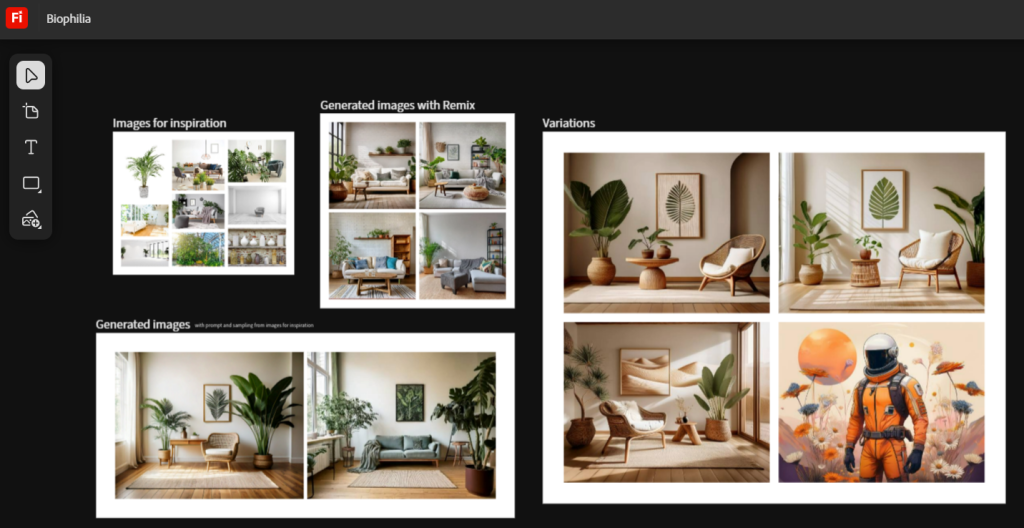
This post shares how I used Adobe’s Boards features to generate a series of stunning biophilic-inspired interior spaces—crafted as mockup environments to showcase my photography prints in tailored, lifestyle-friendly scenes.
Step 1: Setting the Moodboard
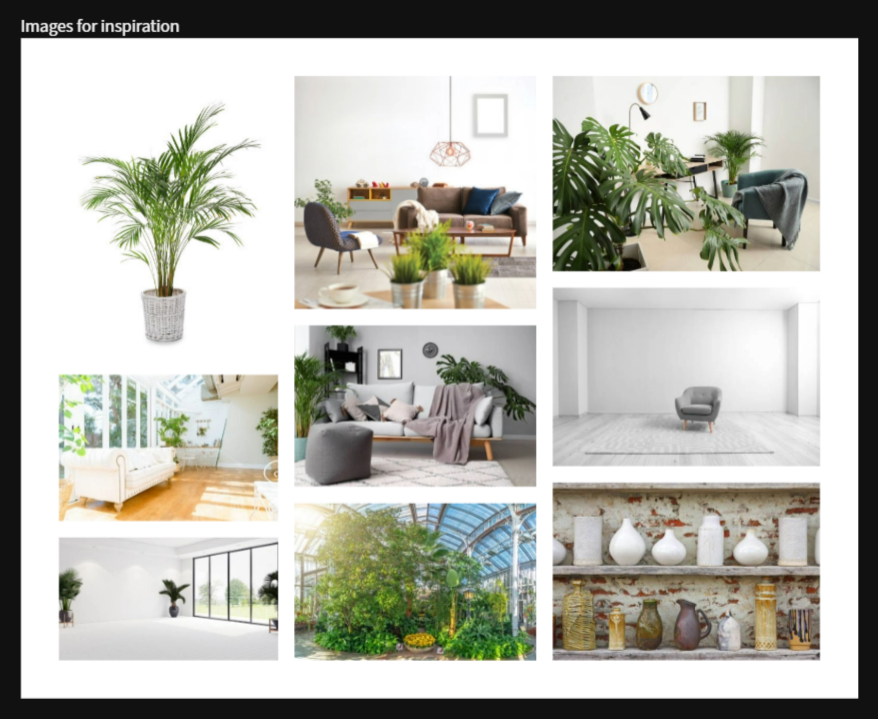
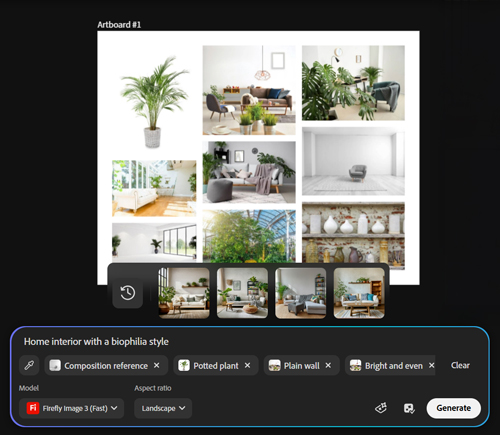
Using Adobe’s Inspiration Image search, I curated a visual board centered on the biophilic aesthetic—natural materials, plant integration, soft light, and calm design. These images served as visual prompts and compositional anchors.
See below: The inspiration board included airy interiors, rattan textures, greenery, and minimalist lines.
Step 2: Remixing Visual Concepts
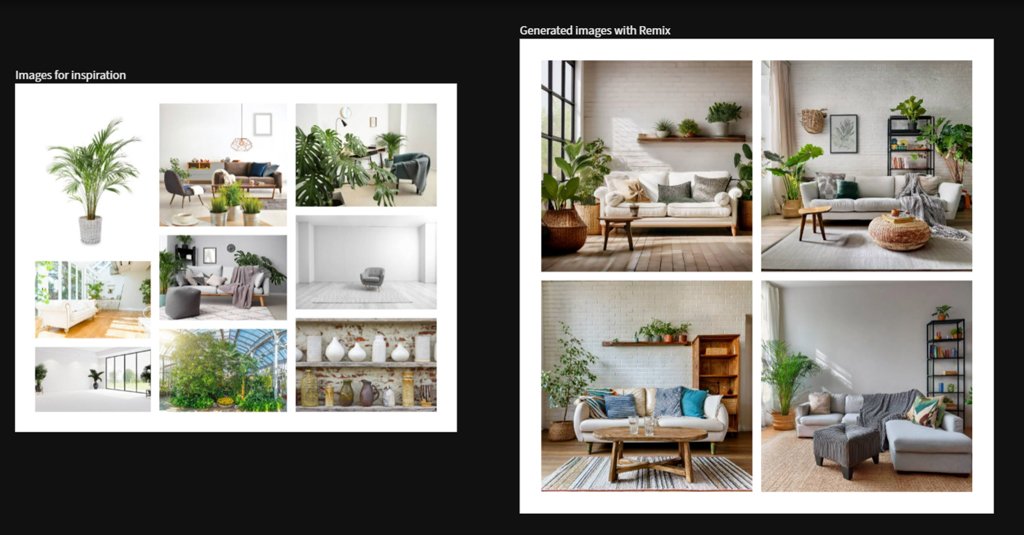
With the board in place, Adobe Remix helped me extract visual structure and style elements to guide the generation process. This tool blended visual references with AI’s generative flexibility, outputting variations that felt organic yet controlled.
The magic? Remix lets you riff off moodboard logic while still tailoring your result to marketing or branding needs.
Step 3: Crafting with Prompts
Next, I used prompting + sampling to describe desired traits—“home interior with a biophilia style, bright lighting, plain walls, potted plants”—while allowing the system to derive extra clues from reference samples.
This step fused written and visual creative thinking, empowering me to get detailed without losing spontaneity.
Step 4: Bringing Artwork to Life
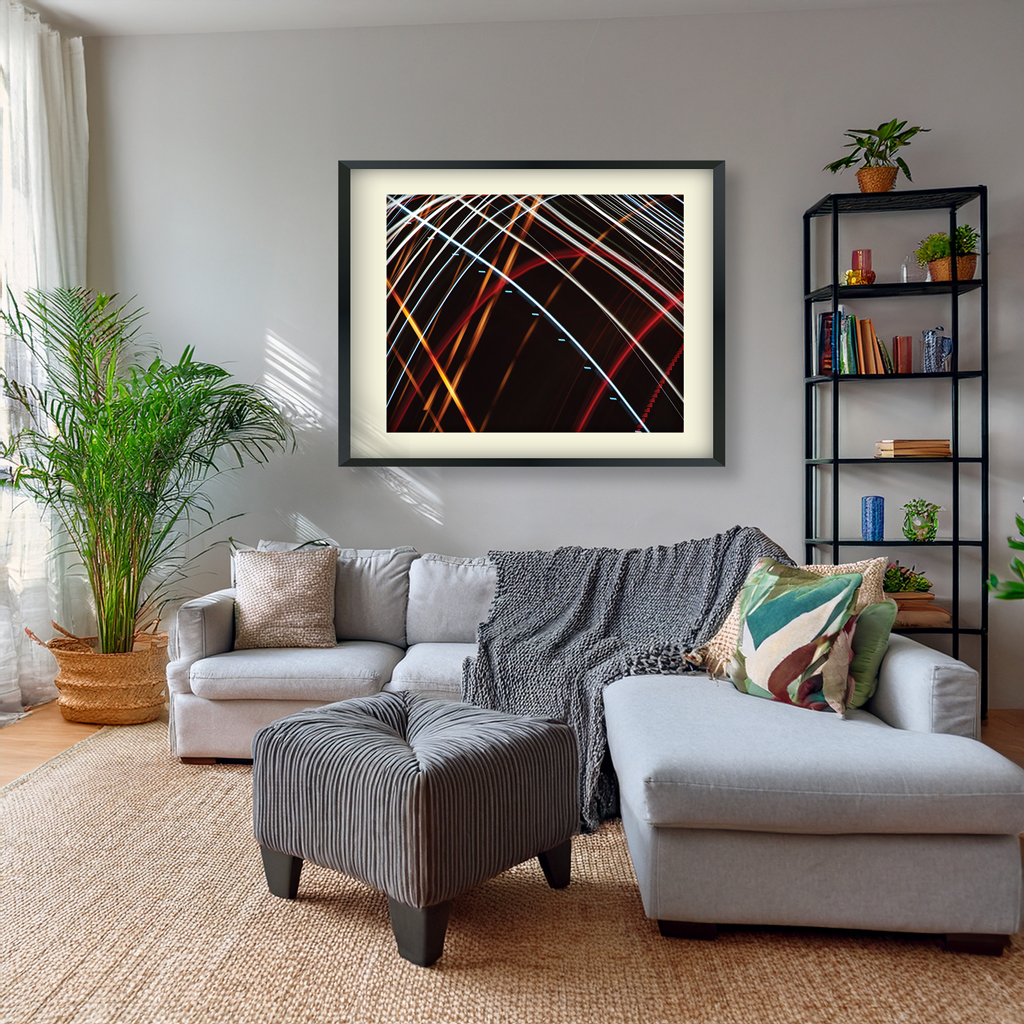
Finally, I dropped in my photography prints into the most compelling scenes. The result? Lush, editorial-style mockups that feel alive, curated, and brand-ready.
These visuals can be used in product listings, social campaigns, gallery previews, or email marketing—helping audiences imagine the art in their own space.
Creative Potential for Client Work
Whether you’re a home goods brand, real estate agency, or wellness startup, Adobe’s Boards + Remix workflow allows us to:
- Build thematic campaign imagery
- Visualize product environments
- Design cohesive brand storytelling
- Save time prototyping and mood boarding
This workflow isn’t just tech—it’s creativity guided by vision, executed at speed.
Looking to Create Branded Visuals That Resonate?
With the use of AI tools like Photoshop Generative Fill and Adobe Boards we can create compelling visuals that elevate your marketing. Let’s talk about how we can bring your product or message into stunning new visual contexts.